ModDrip vs Dealer Configurator
Generic 3D brand configurator vs your real car photo
Updated · August 2026
See a real ModDrip edit
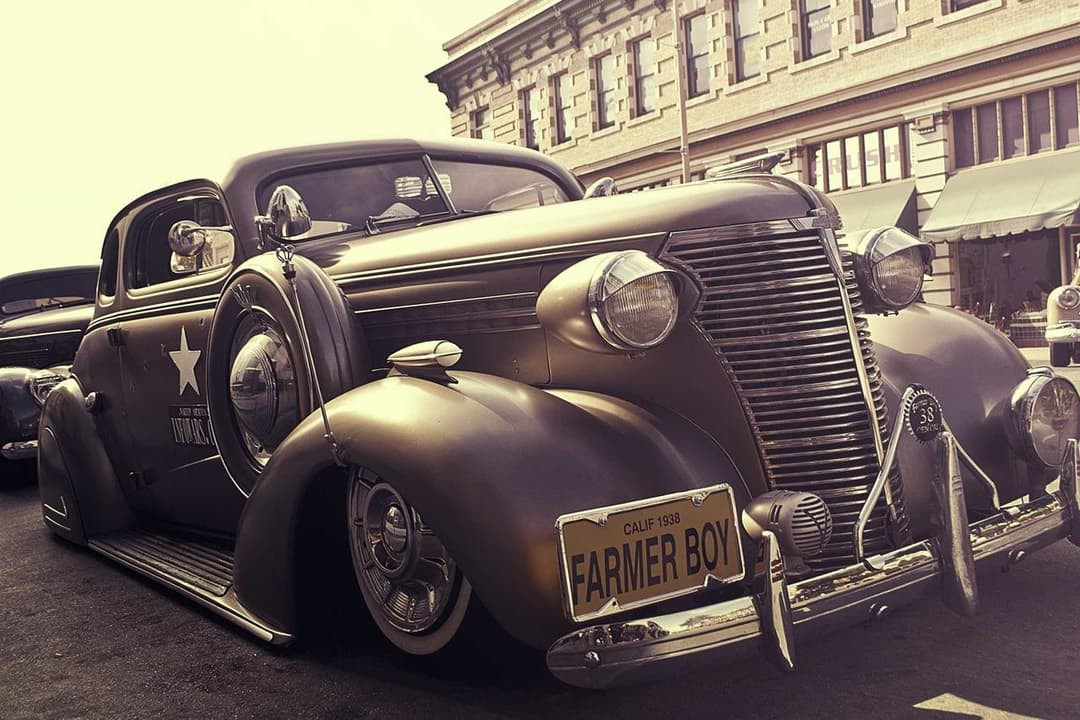
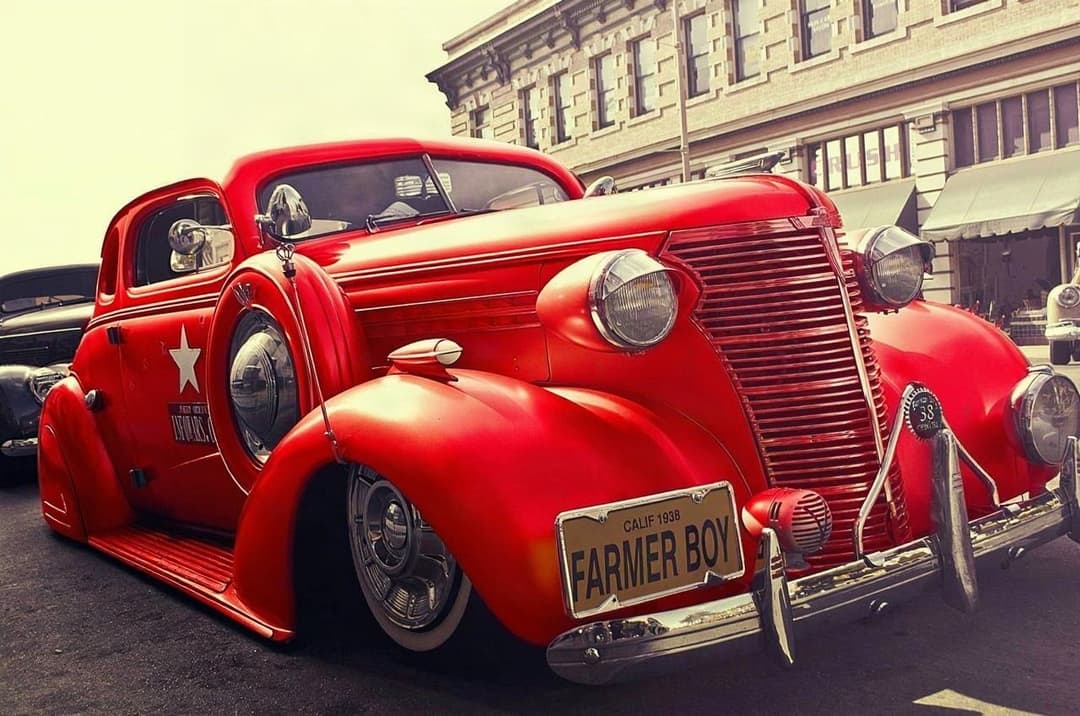
ModDrip applied this change to a photo of a real car — same body, same background. A dealer configurator would show a generic 3D model in a synthetic studio instead of the vehicle you actually own.
TL;DR
A manufacturer’s online configurator shows a generic, computer-generated 3D model in a studio — never your actual car, in your color, in your light. ModDrip edits YOUR photo, so you see your own vehicle with the new paint, wheels or wrap. Choose a dealer configurator to spec a factory-new car to buy; choose ModDrip to preview mods on the car you already own.
Try ModDrip instead of Dealer ConfiguratorBrand and dealer configurators are excellent for one job: building a brand-new car to order. You pick trims, factory colors and options, and a polished 3D render updates. But that render is a generic model in a synthetic studio — it is not your car, it cannot show an aftermarket wrap or a third-party wheel, and it never reflects your driveway, your light or the car sitting in front of you.
ModDrip works from a photo of your actual vehicle. Upload it, tap a color, wheel, wrap or kit, and the AI re-renders your real car — same body, same background — with the change applied. It covers aftermarket looks a factory tool never will, and it runs in your browser with nothing to install.
ModDrip vs Dealer Configurator: feature by feature
| Feature | ModDrip | Dealer Configurator |
|---|---|---|
| Works on YOUR actual car | ✓Edits your uploaded photo | Generic 3D model only |
| Aftermarket wraps / wheels / kits | ✓500+ options, 12 categories | Factory options only |
| Your real background & lighting | ✓Preserved from your photo | Synthetic studio only |
| Spec a factory-new car to buy | ✕Not its purpose | Excellent — order-ready |
| Official factory colors & trims | =Popular colors + custom | Exact factory catalog |
| Runs in the browser, no install | ✓Yes, ~15 seconds | Usually yes |
| Price | ✓Free tier + low monthly | Free (to sell you a car) |
Where Dealer Configurator is strong
- +Accurate official factory colors, trims and options
- +Order-ready — flows straight into a purchase
- +Polished, brand-consistent 3D rendering
- +Free to use
Where Dealer Configurator falls short
- −Shows a generic 3D model, never your real car
- −No aftermarket wraps, wheels or body kits
- −Synthetic studio — not your light or background
- −Locked to one brand’s catalog
When to choose Dealer Configurator
Choose a dealer or brand configurator when you are ordering a brand-new car and want to spec exact factory trims, official colors and options for purchase. For previewing mods on a car you already own, use ModDrip.
How to See a new color on the car you own: Dealer Configurator way vs ModDrip
Your car, not a stand-in model
Dealer Configurator
- 1Open the brand’s configurator
- 2Select the closest model and trim
- 3Pick a factory color on a generic 3D body
- 4Imagine how it maps to your actual car
ModDrip
- 1Upload a photo of your car
- 2Tap the color
- 3See your real car in that color
Try ModDrip instead of Dealer Configurator
Upload a photo and preview any car mod in seconds — no editing skills needed.
Try the free demoFrequently asked questions
Can a dealer configurator show my own car?+
No — it renders a generic 3D model of a factory-spec vehicle. ModDrip edits a photo of your actual car so you see your own vehicle with the change.
Can I preview an aftermarket wrap or wheels?+
Not in a factory configurator — it only shows official options. ModDrip covers 500+ aftermarket looks across 12 categories.
When is a dealer configurator the better tool?+
When you are ordering a brand-new car and need exact factory trims, colors and options for purchase.
✓ Comparison facts were verified on the date shown above. Competitor features and pricing can change — we update these pages as they do.
Keep exploring
🎬 ModDrip AI Video
Turn your car photo into a cinematic video
Upload, mod, and animate — a 5-second clip of your build, ready for TikTok, Reels and Shorts. Made with ModDrip AI Video.