ModDrip vs Photoshop
Industry-standard photo editor vs purpose-built car AI
Actualizado · August 2026
Mira una edición real de ModDrip
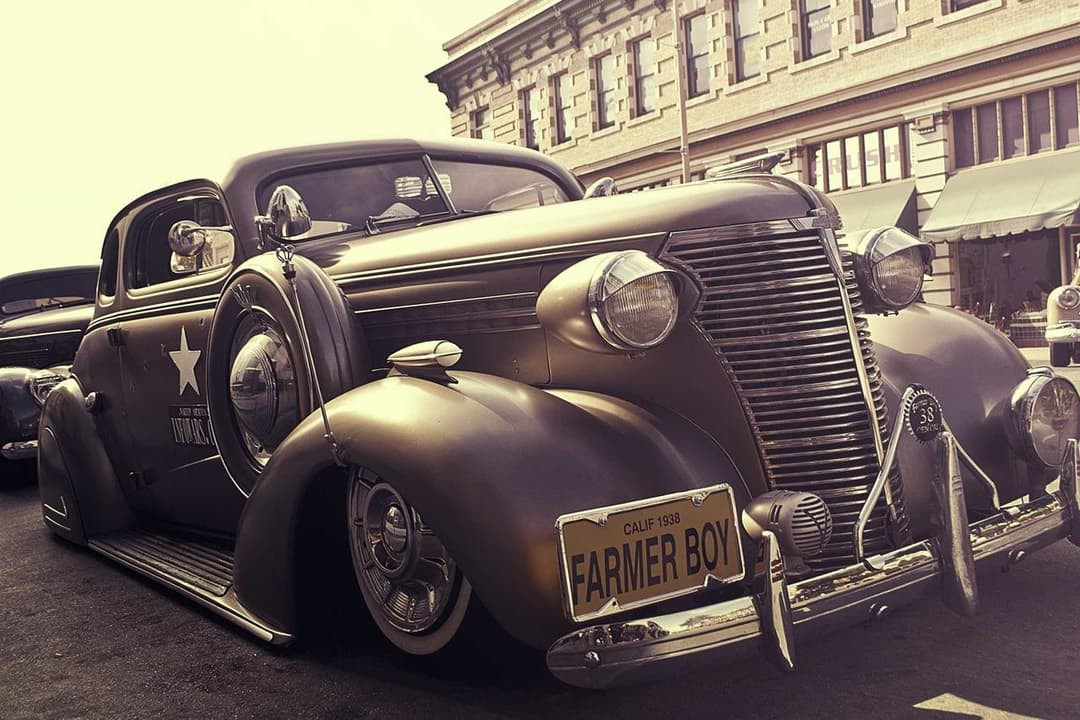
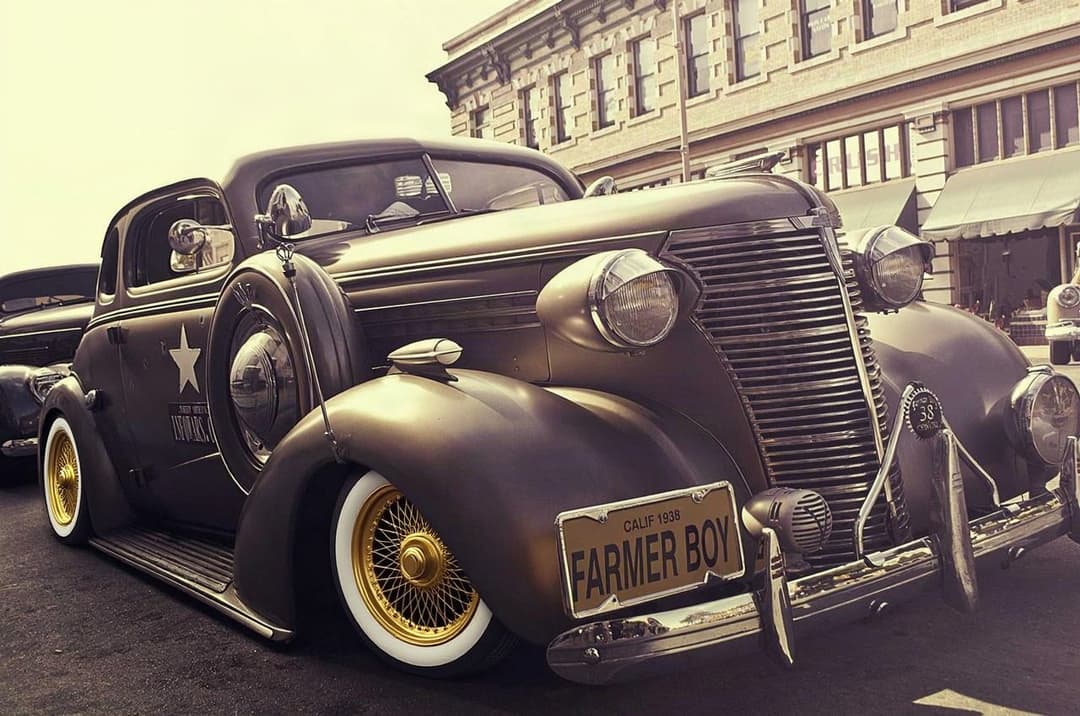
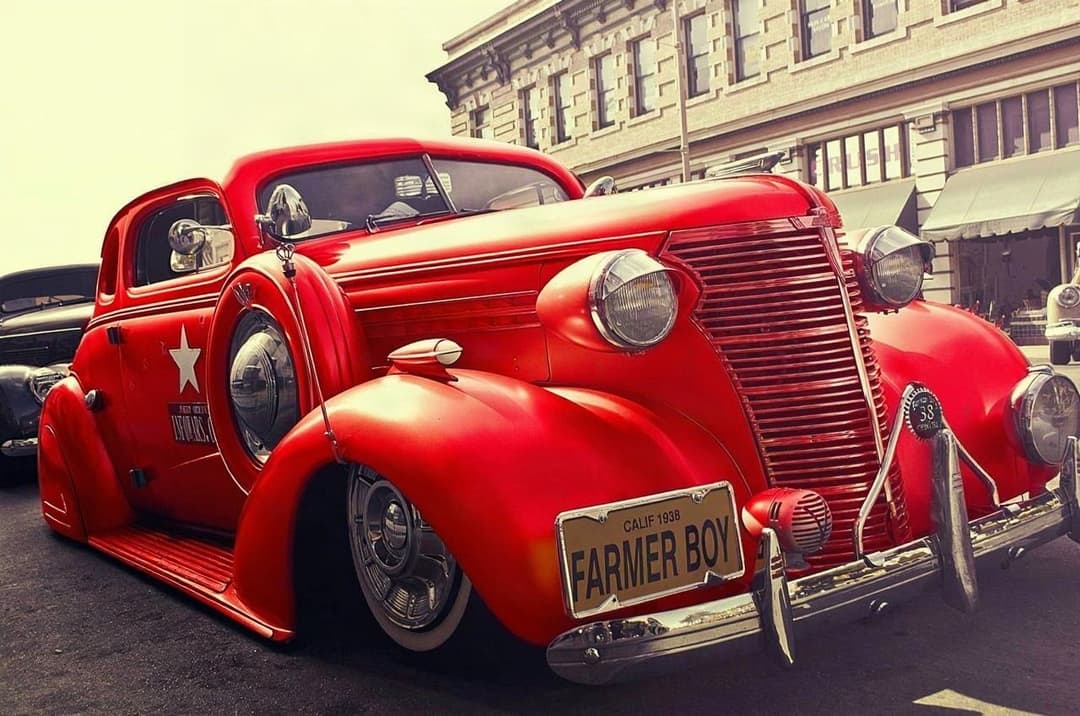
ModDrip produced this recolor in one tap with reflections and shadows handled automatically. The same result in Photoshop requires manual masking, a hue layer, and hand-painting the highlights back — typically 20–40 minutes of skilled work.
RESUMEN
Photoshop can do anything to a photo if you know how — masking, repainting and compositing a car by hand takes real skill and 20–40 minutes per shot. ModDrip does one job: car mods, in three clicks, no masking. Choose Photoshop for total pixel control; choose ModDrip when you just want to see your car in a new color, wheels or wrap in seconds.
Prueba ModDrip en vez de PhotoshopAdobe Photoshop is the most powerful raster editor ever made. There is almost nothing you cannot do to a car photo inside it — but every one of those things is manual. Changing a car color means isolating the body panels with the pen or select-subject tool, feathering the mask, adding a hue/saturation layer, then hand-painting reflections and shadows back so the paint reads as real. A clean result takes 20–40 minutes and a trained eye.
ModDrip is built for exactly one workflow: previewing car modifications. You upload a photo, tap a color, wheel, wrap or body kit, and the AI re-renders the car with correct reflections and lighting in a few seconds — no layers, no masking, no subscription to a 20-app suite. It will never retouch a portrait or design a poster, and that focus is the point.
ModDrip vs Photoshop: función por función
| Función | ModDrip | Photoshop |
|---|---|---|
| Change car paint color | ✓One tap, reflections handled by AI | Manual masking + hue layers, 20+ min |
| Swap wheels / rims | ✓Pick a style, AI fits perspective | Cut, warp and composite by hand |
| Apply a full wrap or livery | ✓Instant, follows body curves | Displacement maps, advanced skill |
| General photo retouching | ✕Not supported — car mods only | Best-in-class, unlimited |
| Learning curve | ✓Zero — anyone in 3 clicks | Steep, weeks to get good |
| Speed per edit | ✓Seconds | Tens of minutes |
| Price | ✓Free tier + low monthly | ~$22.99/mo Creative Cloud |
| Runs on phone | ✓Web, any device | Full power on desktop only |
Dónde destaca Photoshop
- +Unlimited manual control over every pixel
- +Handles any image task, not just cars
- +Massive plugin and tutorial ecosystem
- +Professional print and color-management pipeline
Dónde se queda corto Photoshop
- −Steep learning curve — realistic car edits take real skill
- −20–40 minutes per car color change by hand
- −Subscription to a whole suite you may not need
- −Desktop-class hardware for smooth work
Cuándo elegir Photoshop
Choose Photoshop when you need total control over every pixel — compositing, retouching, poster art, or edits ModDrip does not cover. If cars are one of a hundred things you edit, the full suite earns its keep.
Cómo Change a car’s paint color: Photoshop vs ModDrip
3 steps vs 9 — and no masking skill required
Photoshop
- 1Open the photo and duplicate the layer
- 2Select the car body with the pen or select-subject tool
- 3Refine and feather the mask edges
- 4Add a Hue/Saturation adjustment layer
- 5Clip it to the mask and shift the hue
- 6Hand-paint reflections and highlights back
- 7Fix bleed on trim, glass and shadows
- 8Colour-match the wheels and mirrors
- 9Flatten and export
ModDrip
- 1Upload the photo
- 2Tap the new color
- 3Download the result
Prueba ModDrip en vez de Photoshop
Sube una foto y previsualiza cualquier modificación en segundos — sin saber editar.
Probar la demo gratisPreguntas frecuentes
Is ModDrip easier than Photoshop for changing car color?+
Yes — dramatically. In Photoshop a realistic color change means masking the body, adding adjustment layers and repainting reflections by hand. In ModDrip you tap a color and the AI re-renders the car in seconds.
Can ModDrip do everything Photoshop does?+
No, and it does not try to. ModDrip only does car modifications — paint, wheels, wraps, body kits, tint and more. For general retouching or design work, Photoshop is still the tool.
Do I need any editing skills to use ModDrip?+
None. If you can upload a photo and tap a swatch, you can build a full modified look. There are no layers or masks to learn.
Is ModDrip cheaper than Photoshop?+
ModDrip has a free tier and a low monthly plan for car mods specifically, versus a full Creative Cloud subscription for Photoshop.
✓ Los datos de la comparación se verificaron en la fecha indicada arriba. Las funciones y precios de la competencia pueden cambiar — actualizamos estas páginas cuando ocurre.
Sigue explorando
🎬 ModDrip AI Video
Convierte la foto de tu coche en un vídeo cinematográfico
Sube, modifica y anima — un clip de 5 segundos de tu coche, listo para redes.