AI showcase
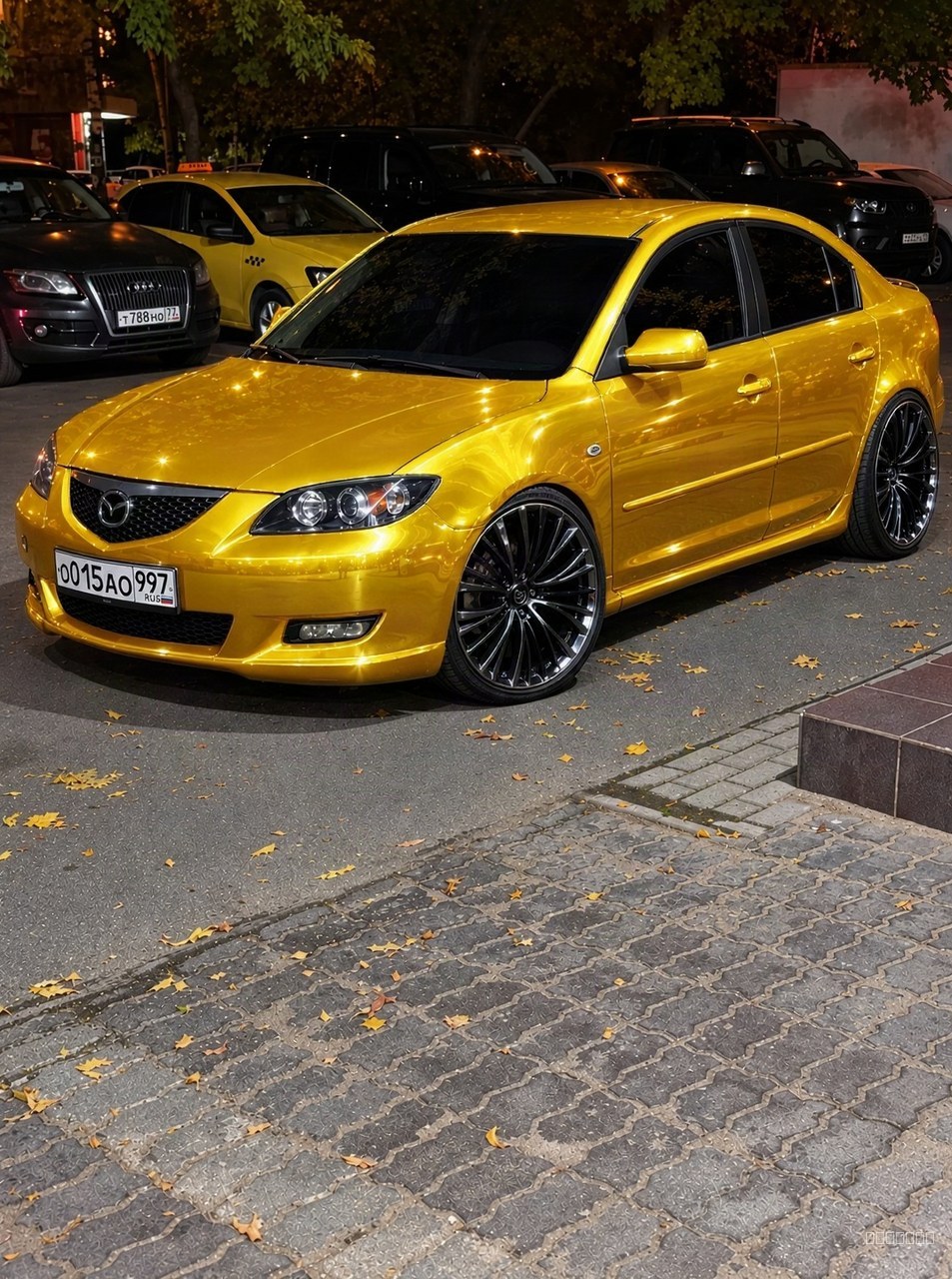
This AI car video: a full visual makeover generated from one uploaded shot.
Nothing about the underlying car is swapped out — the AI paints the new direction onto the body that's already there, so it sits naturally instead of looking pasted on.
The clip is generated from the same image, so what you see in the photo is what moves in the video.
Everything here started as an ordinary photo; the AI does the reimagining, but the car, the angle and the moment are real.
Try it on your own build — one photo is all it takes to see a look like this on your car.
Clip details
- Made with
- ModDrip AI Video
- Created
- Aug 21, 2026
- Community
- 71 likes · 65 views
Can I download and share the video?
Yes. Finished clips are yours to download and share; this page also has share links so anyone can view it.
What kind of cars work best?
Almost any car in a reasonably clear photo works — daily drivers, classics, trucks, exotics. A clean side or three-quarter shot gives the AI the most to work with.
Do I need to install anything?
No app and no download — ModDrip runs in your browser. Open the editor, upload a photo, and you're generating in seconds.
How was this video made?
From one photo. ModDrip edits the still, then brings it to life as a short cinematic clip — there's no camera crew and no real car on a set.
Will it keep my car looking like my car?
Yes — the edit works from your own photo and preserves the body shape, angle and lighting. Only the styling changes, so the result still reads as your car.
Videos


Community edits are published by ModDrip members from the in-browser video editor. Every clip starts from an AI build render — no credits are spent on editing.