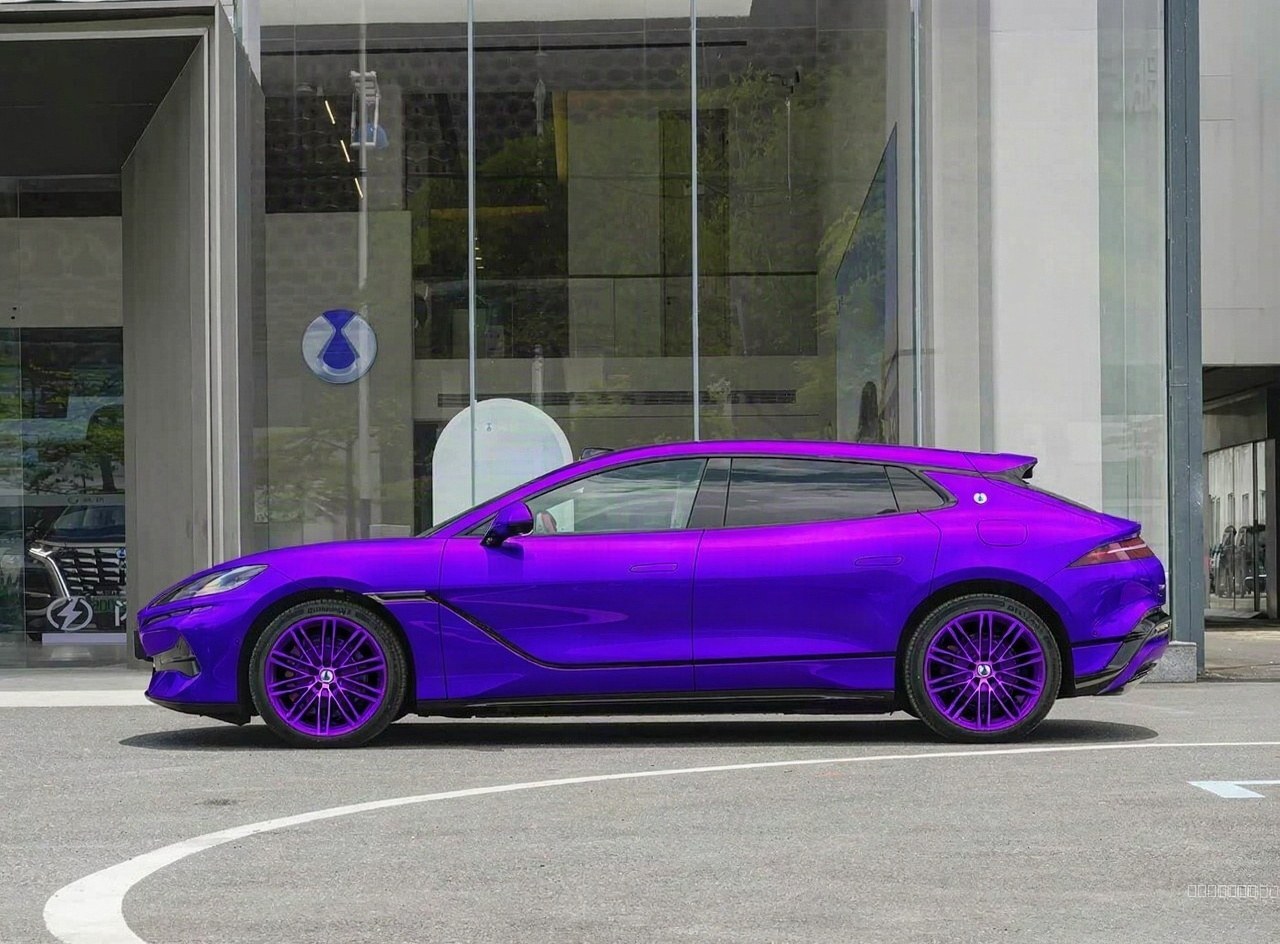
Change the car's paint color to deep royal purple metallic
by @1239270543·
Change the car's paint color to deep royal purple metallic
Change the car's paint color to deep royal purple metallic, built entirely in the browser — no shop, no paint booth, just one photo and ModDrip AI.
Nothing about the underlying car is swapped out — the AI paints the new direction onto the body that's already there, so it sits naturally instead of looking pasted on.
Most people never see a bold direction on their own car because committing to it is expensive — an AI preview closes that gap for the price of a photo.
Whether it's a subtle refresh or a full transformation, the preview treats both the same way — show it first, commit later.
You can do the same on your car in seconds: upload a shot and let the editor preview it, free.
Build details
- Look
- Change the car's paint color to deep royal purple metallic
- Made with
- ModDrip AI
- Created
- 9/7/2026
FAQ
Can I do this on my own car?
Absolutely — that's the whole point. Point it at a photo of your own car, choose a direction like change the car's paint color to deep royal purple metallic, and the first result is free with no sign-up.
Can I share or download the result?
Yes — download it, post it, send it to a friend. Every result is yours to keep, and this page carries its own share links too.
Will it keep my car looking like my car?
Yes — the edit works from your own photo and preserves the body shape, angle and lighting. Only the styling changes, so the result still reads as your car.
How long does it take, and what does it cost?
Seconds, not minutes. The first preview is on the house; after that each generation spends a small number of credits, always shown before you commit.
Do I need to install anything?
Nothing to install. It's a web editor, so it works the same on a phone or a laptop straight from the browser.
More AI car builds


