ModDrip vs Lightroom
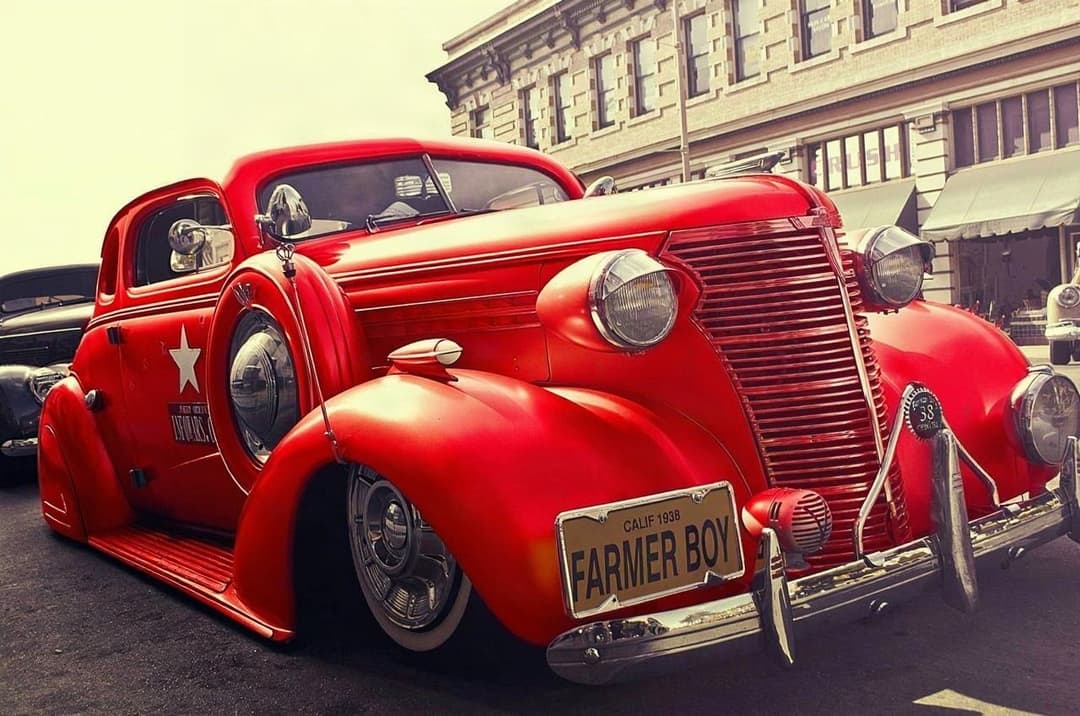
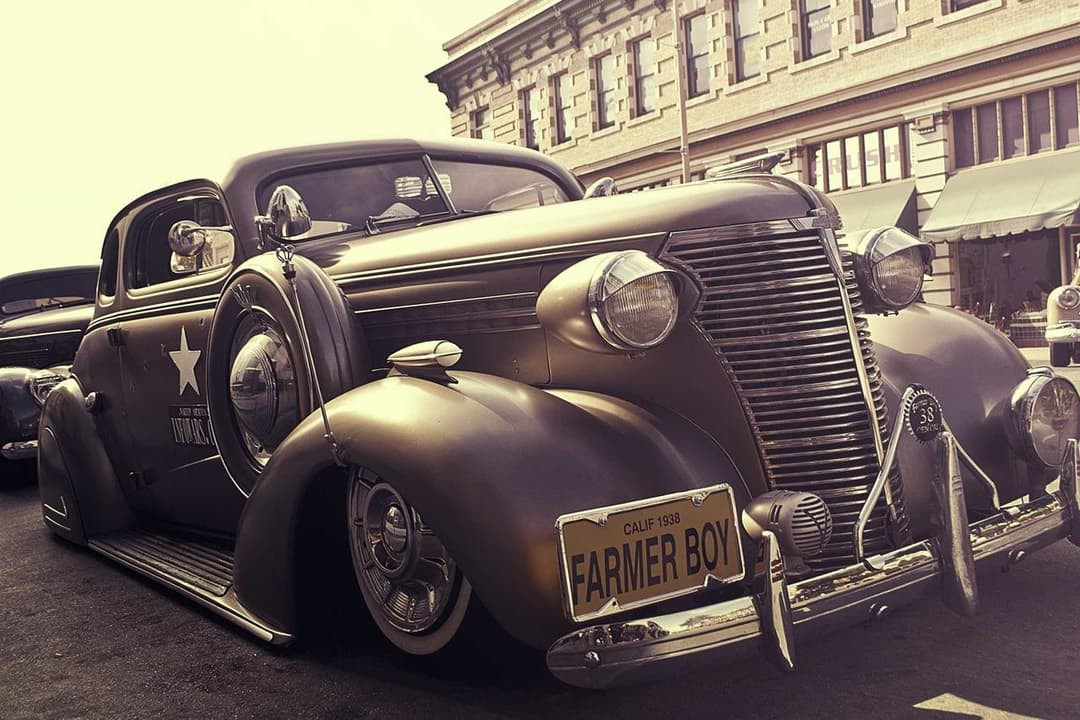
Color grading vs actual car modifications
更新于 · August 2026
摘要
Lightroom is the gold standard for grading and correcting car photos — exposure, tone, HSL, presets — but it grades the car that is there. It cannot swap a color, fit new wheels or add a wrap. ModDrip changes the mod itself. They are complementary: mod in ModDrip, then grade the result in Lightroom.
改用 ModDrip 而非 LightroomAdobe Lightroom is where serious car photography gets its look. Exposure, white balance, tone curves, HSL sliders and film-style presets let you dial in mood and correct a shot beautifully. But Lightroom is a grading tool — its color controls shift the whole image’s tones, not the paint of a single body panel, and it has no concept of wheels, wraps or body kits.
ModDrip and Lightroom are not really rivals; they sit at different stages. ModDrip decides *what* the car looks like — the color, the wheels, the wrap — and Lightroom decides how the final photo is graded and delivered. Many creators use both: build the look in ModDrip, then finish it in Lightroom.
ModDrip 对比 Lightroom:逐项功能
| 功能 | ModDrip | Lightroom |
|---|---|---|
| Change car paint color | ✓True panel recolor | Global HSL only, not per-panel |
| Swap wheels or add a wrap | ✓Yes | Not possible |
| Professional photo grading | ✕Not the focus | Best in class |
| Presets & batch editing | ✕Not offered | Powerful |
| RAW correction | ✕No | Yes, full RAW pipeline |
| Add mods, not just grade | ✓Yes | No |
| Price | ✓Free tier + low monthly | ~$9.99/mo+ |
Lightroom 的强项
- +Best-in-class color grading and tone control
- +Full RAW correction pipeline
- +Presets and batch editing at scale
- +Non-destructive, professional workflow
Lightroom 的不足
- −Cannot change a car’s actual paint color per-panel
- −No wheels, wraps or body-kit editing
- −Grades the car that is already there
- −Not a modification tool at all
何时选择 Lightroom
Choose Lightroom for grading, RAW correction, batch presets and final delivery of car photos. Use it after ModDrip, not instead of it.
如何Restyle a car and deliver the shot:Lightroom 与 ModDrip 对比
Mods + grade, no Photoshop detour
Lightroom
- 1Import the RAW into Lightroom
- 2Grade exposure, white balance and tone
- 3Realize you cannot change the actual color or wheels
- 4Send it to Photoshop for the mod, then back
ModDrip
- 1Build the color/wheels/wrap in ModDrip
- 2Export the modified photo
- 3Grade it in Lightroom to taste
改用 ModDrip 而非 Lightroom
上传一张照片,几秒内预览任意改装——无需修图技能。
试用免费演示常见问题
Can Lightroom change a car’s color?+
Only globally via HSL, which shifts the whole image and cannot cleanly repaint one car. ModDrip performs a true per-car recolor with correct reflections.
Should I use ModDrip or Lightroom?+
Both — they are complementary. Build the modification in ModDrip, then grade and finish the photo in Lightroom.
Does ModDrip replace my grading workflow?+
No. ModDrip handles the modification; Lightroom still owns grading, RAW correction and delivery.
✓ 对比事实已在上方所示日期核实。竞品的功能和价格可能变化——我们会随之更新这些页面。
继续探索
🎬 ModDrip AI Video
把你的汽车照片变成电影级视频
上传、改装、生成动画——5秒短片,适配 TikTok、Reels 和 Shorts。